How to Manage Installations in Minecraft Launcher
Installations let you run different Minecraft versions, snapshots, and modded profiles side by side without overwriting your main game.
What Are Installations?
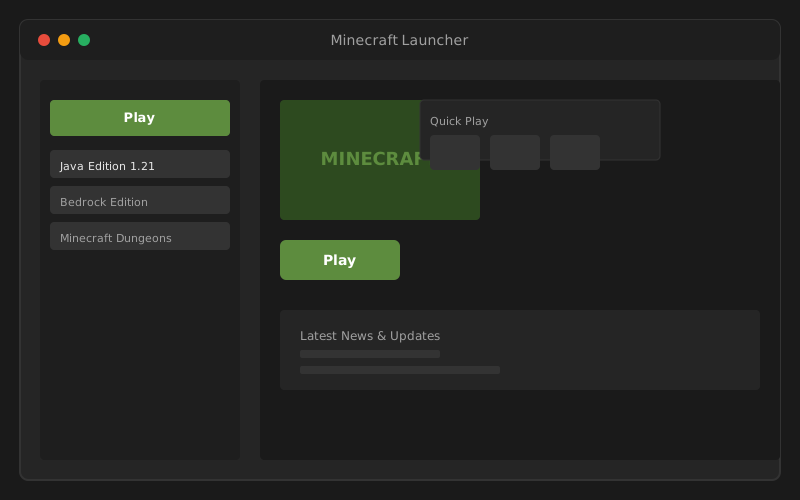
Each installation is a separate configuration: game version, mod loader, JVM arguments, and optionally a custom game directory. The launcher sidebar lists installations sorted by last played, with "Latest Release" as the default.
Create a New Installation
- Open Minecraft Launcher and select Minecraft: Java Edition.
- Click Installations at the top (or the installations tab).
- Click New Installation.
- Name your installation (e.g., "Snapshot 25w", "Forge Modded").
- Select the version from the dropdown: releases, snapshots, and older versions appear here.
- Optionally set a custom game directory or JVM arguments.
- Click Create, then select the installation and press Play.
Playing Snapshots and Betas
Snapshots preview upcoming Minecraft features before official release. Enable snapshots in the version dropdown when creating an installation: they appear with a distinct label. Snapshots may be unstable; keep a separate "Latest Release" installation for regular play.
For Bedrock Preview builds, select "Latest Preview" from the Bedrock installation dropdown instead of Latest Release.
Setting Up Forge or Fabric
Mod loaders require a few extra steps beyond the launcher UI:
- Download the Forge or Fabric installer from their official websites for your target Minecraft version.
- Run the installer and select "Install client": it creates a new launcher profile automatically.
- Restart the launcher: the modded installation appears in your list.
- Place mod .jar files in the
modsfolder inside your game directory.
If the game crashes on launch with mods, see game won't launch troubleshooting: often caused by incompatible mods or insufficient RAM.
Allocate More RAM
Mod-heavy worlds need more memory. Edit an installation and expand More Options:
- Find JVM arguments:
-Xmx2Gsets max heap to 2 GB. - Change to
-Xmx4Gor-Xmx6Gif you have 16 GB system RAM. - Do not allocate more than half your total RAM: leave memory for Windows and other apps.
Custom Game Directories
Point an installation to a separate folder to isolate worlds and mods:
- Useful for keeping vanilla and modded saves separate.
- Set in installation settings → Game Directory → Browse.
- Each directory has its own saves, mods, and config folders.
Deleting Installations
Remove unused installations from the Installations tab → hover → trash icon. This removes the launcher profile but does not delete game version files in the shared versions folder unless you manually clean them.
runtime or versions folders manually during troubleshooting, read our launch fix guide: improper deletion can force full re-downloads.